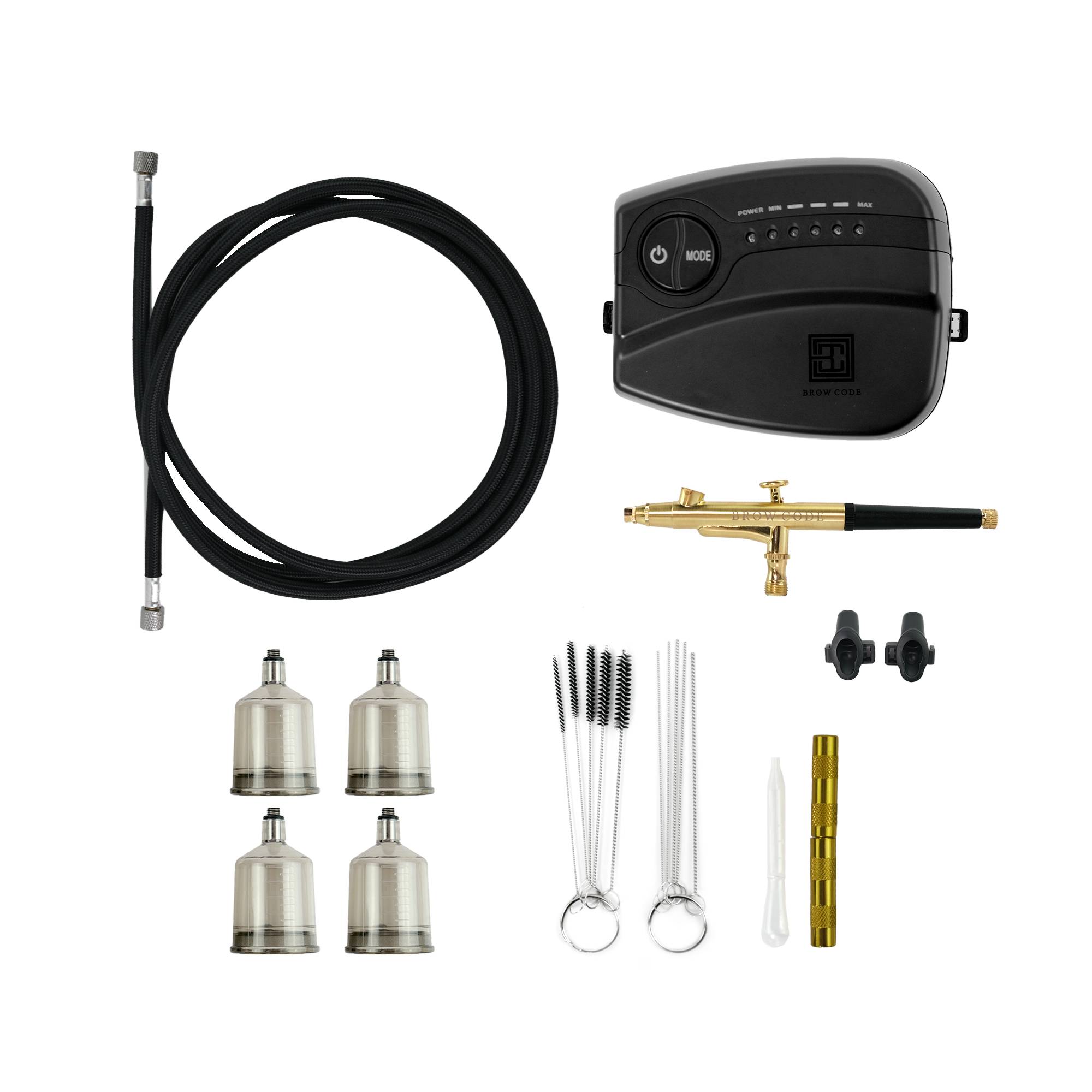
Brow Code's Airbrush Machine is designed to flawlessly apply Stain Hybrid Dye, enabling you to create perfectly defined, long-lasting brows with precision and speed through a finely controlled mist. Achieve stunning ombre effects and crisp edges in mere seconds with this advanced application technique.
Brow Code's Airbrush Machine, AirArch, is designed for the advanced application of Stain Hybrid Dye through a finely controlled mist. The speed and ease of the mist allows for ultimate gradient control, enabling you to create subtle to bold enhancements and master ombre effects with precision. With five customizable modes ranging from minimum to maximum airflow, you have the flexibility to achieve every look, from everyday natural to avant-garde brow designs.
The desktop compressor provides uninterrupted and consistent airflow, maintaining the precision of your work for a flawless application of Hybrid Dye on the brow. The device's lightweight and compact design enables you to hold the airbrush with enhanced control and precision, improving the quality of the results you can achieve.
AirArch Airbrush Machine includes:
4x Refillable 20ml Canisters
1x Dropper
2x Airbrush Holders
1x Airbrush Cleaning Set
Compact Desktop Compressor
Extended 3-Meter Hose
5-Speed Adjustable Airflow Control
4x 20ml Refillable Canisters
Ergonomic Grip
Stain Hybrid Dye & Liquid Oxidant Compatibility
When paired with Brow Code's Hybrid Stain Dye, it effectively stains the skin for up to 10 days and the brow hair for up to 6 weeks.
Airbrush Application
Apply Silicone Eyebrow Stencils to define the area for Stain application. Ensure the borders are secure to prevent the Stain Hybrid Dye from seeping beyond the desired area.
Fill the dispenser with a 1:1 ratio of Stain to Liquid Oxidant 3%, or approximately 8 drops Stain to 8 drops Liquid Oxidant.
Pro Tip:
For a more pigmented and longer-lasting finish, our founder, Melanie Marris, recommends a 2:1 mixing ratio or 10 drops of Stain to 5 drops of Liquid Oxidant.
Set the Airbrush Machine to your preferred speed and test spray onto a clean, dry cotton pad to check shade and consistency of the spray.
Spray a light layer of Stain from the tail of the eyebrow towards the front of the brows. Let it set for 1-2 minutes, then apply a second layer following the same direction. Allow this layer to set for 1-2 minutes before continuing.
Pro Tip:
Maintain a distance of 5-10 cm from the brows during application.
For the final layer, work from the tail towards the front, ensuring thorough coverage for the client’s desired look.
After completing the Stain layering, carefully remove the Silicone Eyebrow Stencils. Use a damp cotton tip to clean up any overspray from the Airbrush. Allow the Stain to process on the brows for a total of 8 to 12 minutes, depending on the desired intensity and saturation level.
Gently remove the Stain with a damp cotton pad, starting from the head of the brow and moving towards the tail.
Pro Tip:
Be careful not to scrub back and forth to avoid removing the Stain Hybrid Dye from the skin.
Brush the eyebrows into place to complete the Airbrush Stain application process.
Machine Instructions
Press the POWER button to turn the air pump on/off.
Begin by running water through the Airbrush for approximately 15 seconds.
Adjust the dial to allow a 2-3 mm opening, which controls the Stain's airflow.
Perform a test spray on a cotton round to check for even dispensing. Test across all pressure modes.
Pro Tip:
We recommend using your machine on the lowest setting when applying Stain Hybrid Dye.
Once you achieve an even spray, the Airbrush is ready for use.