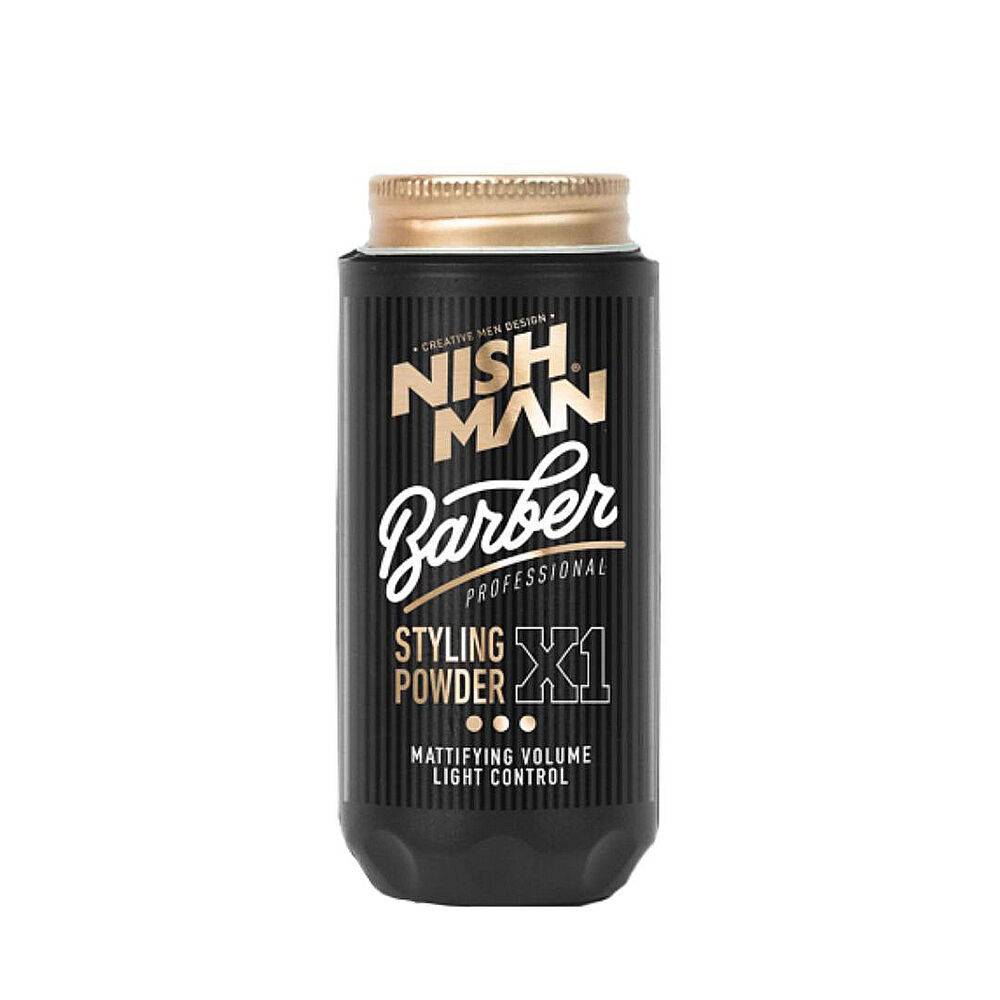
Hairstyling Powder X1 Mattifying Volume Light Control 1 oz

  • bvseo_sdk, dw_cartridge, 17.1.0, p_sdk_3.2.0
  • CLOUD, getAggregateRating, 17ms
  • reviews, product
  • bvseo-msg: Unsuccessful GET. status = '{0}', msg = {1};
#2408-HS-POW-X1-030
Condition: New
Sold + Shipped by Nish Cosmetics
Free Shipping with purchase of $50.00+

Seller Information

Seller Info

Sold + Shipped by Nish Cosmetics
1,609 sales
Condition: New

Nishman X1 (Nishman Hairstyling Powder X1) is a lightweight, mattifying volume and texture powder designed to give fine or flat hair an instant lift with a natural matte finish. Key Features: • Formula: Combines the lightness of a powder with the styling control of a wax, transforming into a creamy texture upon contact with hair. • Finish & Feel: Provides flexible, light-to-medium hold with zero greasy shine, stickiness, or white residue

1. Start with dry hair: Ensure your hair is completely dry before applying, as moisture can cause the powder to clump rather than create lift. 2. Apply to the roots: Shake the bottle gently, then pump or sprinkle a small amount directly onto your roots where you want volume, or dispense a light dusting into your palms. 3. Work it in: Use your fingertips to rub the powder into your roots and distribute it through the mid-lengths. As you rub, the powder transforms into a lightweight, creamy grip that lifts the hair. 4. Shape and style: Tousle, pinch, or comb your hair into your desired shape for a natural, matte finish.

Glycerin, Silica Dimethicone Silylate, PVP, Alcohol Denat., Sodium Benzoate, Parfum/Fragrance, Hexamethylindanopyran, Tetramethyl Acetyloctahydronaphthalenes, Benzyl Salicylate, Geranyl Acetate, Linalyl Acetate.

Online Exclusive purchases from third-party sellers made through SalonCentric must be returned directly to the third-party seller, and cannot be returned to SalonCentric stores. Customers can initiate an Online Exclusive purchase return in two ways on saloncentric.com:

  1. Help Center: Go to the 'Help Center' and initiate a new message. Select 'Issue with an Order' as the subject, choose the relevant order, and select 'Return' from the issue type dropdown. Provide a reason for the return and click 'Submit.'
  2. My Orders: Locate the order in 'My Orders,' and click 'Help with Order.' Follow the same steps as above to select the issue type, provide a reason, and submit the return request.

Click to see more details.

  • bvseo_sdk, dw_cartridge, 17.1.0, p_sdk_3.2.0
  • CLOUD, getReviews, 9ms
  • reviews, product
  • bvseo-msg: Unsuccessful GET. status = '{0}', msg = {1};