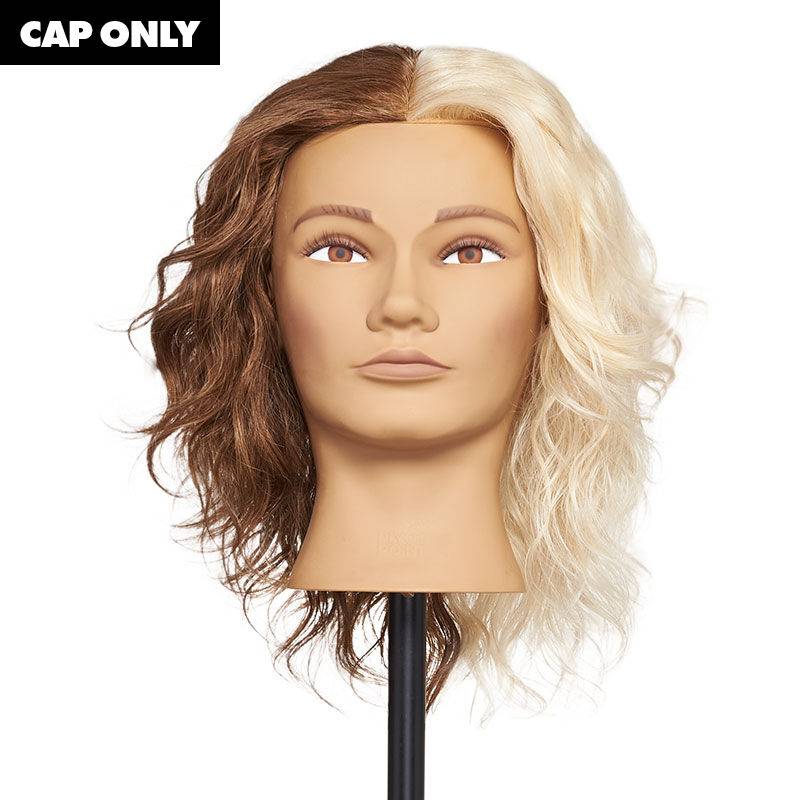
Bicolor Cap - 100% Human Hair

  • bvseo_sdk, dw_cartridge, 17.1.0, p_sdk_3.2.0
  • CLOUD, getAggregateRating, 20ms
  • reviews, product
  • bvseo-msg: Unsuccessful GET. status = '{0}', msg = {1};
#2306-SC3-FMSUIZLL-2P
Condition: New
Sold + Shipped by Pivot Point
Free Shipping with purchase of $200.00+

Seller Information

Seller Info

Sold + Shipped by Pivot Point
Top Seller
5/5 Seller rating 2,006 sales
Condition: New

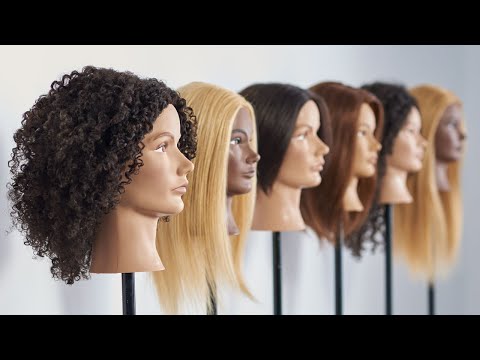
PROFILE Step into a universe where precision meets versatility with the Bicolor Cap. Crafted specifically for mastering highlights, lowlights, and direct dyes, this innovative cap features two distinct zones—ultra-light and medium-dark. With the Bicolor Cap, you can focus on specific challenges, replicating real-life scenarios through a side-by-side comparison for enhanced learning. Compatible with our Reusable Headform, this combination is the ultimate start to sustainable, continuous learning.  Product listing includes Bicolor Cap only. Reusable Headform Small sold separately. BEST USE CASE ・Haircutting ・Thermal Styling (Max 350°F) ・Color Deposit ・Off-Scalp Lightening (Dark Side Only) SPECS ・Name: Bicolor Cap ・Head Size: Cap Compatible with Reusable Headform Small ・Hair Type: Human ・Hair Color: Medium-Dark & Ultra-Light ・Hair Texture: Straight ・Hair Length: 8" ・Form: Uniform Ethical Manufacturing: SA8000® Certified  The SA8000 Standard, established by SAI and one of the world’s preeminent social standards, is a tool for implementing international labor standards to protect workers along each step of the supply chain.

Online Exclusive purchases from third-party sellers made through SalonCentric must be returned directly to the third-party seller, and cannot be returned to SalonCentric stores. Customers can initiate an Online Exclusive purchase return in two ways on saloncentric.com:

  1. Help Center: Go to the 'Help Center' and initiate a new message. Select 'Issue with an Order' as the subject, choose the relevant order, and select 'Return' from the issue type dropdown. Provide a reason for the return and click 'Submit.'
  2. My Orders: Locate the order in 'My Orders,' and click 'Help with Order.' Follow the same steps as above to select the issue type, provide a reason, and submit the return request.

Click to see more details.

  • bvseo_sdk, dw_cartridge, 17.1.0, p_sdk_3.2.0
  • CLOUD, getReviews, 5ms
  • reviews, product
  • bvseo-msg: Unsuccessful GET. status = '{0}', msg = {1};