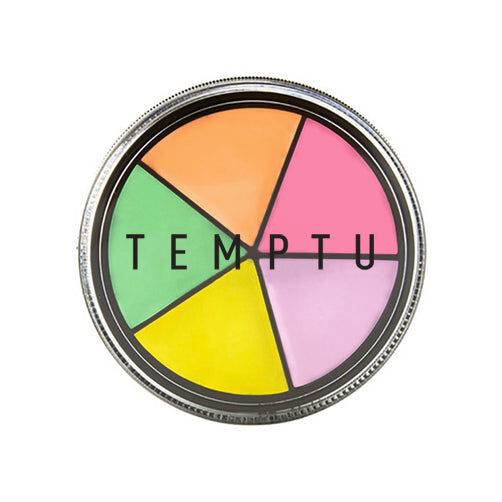
Based on professional color-wheel theory, the S/B Neutralizer Wheel contains five targeted color correctors that help balance visible discoloration across a wide range of skin tones. Use Peach for hyperpigmentation, Green for redness, Yellow for under-eye darkness, Pink to brighten sallow undertones and Purple to help neutralize yellow tones.
The silicone-based cream formula is compatible with S/B complexion products and layers smoothly beneath foundation without a heavy look. Mix shades as needed for customized correction, then apply with a brush, sponge or fingertips. The compact five-shade wheel is designed for professional kits, travel and precise complexion work. Paraben-free.
Apply the targeted shade with a brush, sponge or fingertips before complexion makeup. Use Peach for hyperpigmentation, Green for redness, Yellow for dark under-eye circles, Pink to brighten sallow undertones and Purple to correct yellow or sallow undertones. Blend lightly and layer only as needed.
Propylene Glycol Dicaprylate/Dicaprate, Isopropyl Myristate, Ozokerite Wax, Mineral Oil, Sorbitan Sesquioleate, Dimethicone, Tocopheryl Acetate, Iodopropynyl Butylcarbamate, Phenoxyethanol, BHA, Silica, Kaolin. May contain: Titanium Dioxide (CI 77891), Red 6 and Red 7 Lake (CI 15850), Yellow 5 Lake (CI 19140), Ultramarines, Iron Oxides (CI 77492, CI 77499), Chromium Hydroxide Green (CI 77289).