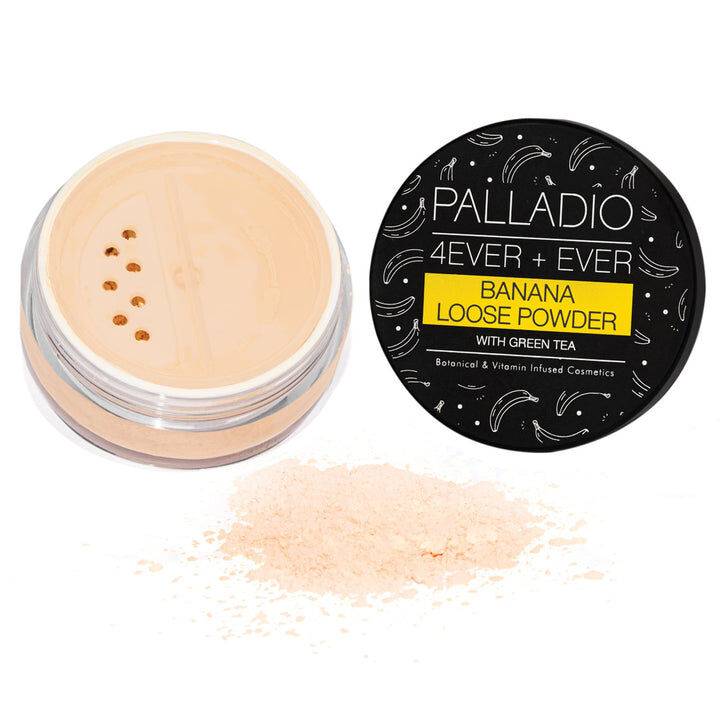
4Ever + Ever Brightening Loose Powder - 0.21 oz

  • bvseo_sdk, dw_cartridge, 17.1.0, p_sdk_3.2.0
  • CLOUD, getAggregateRating, 28ms
  • reviews, product
  • bvseo-msg: Unsuccessful GET. status = '{0}', msg = {1};
Select Shade
List View Image View
  • 4Ever + Ever Brightening Loose Powder - 0.21 oz
    #2252-LSP03
    Condition: New
    Sold + Shipped by Palladio Beauty Group
    Free Shipping with purchase of $50.00+
  • 4Ever + Ever Brightening Loose Powder - 0.21 oz
    #2252-LSP02
    Condition: New
    Sold + Shipped by Palladio Beauty Group
    Free Shipping with purchase of $50.00+

Banana Loose Powder is that perfect yellow-toned setting powder that suits just about any skin tone. It color-corrects surface redness and neutralizes dark under-eye circles. Our weightless powder helps to color correct while setting in makeup for all-day wear without feeling heavy or looking "cakey". Infused with green tea a potent antioxidant that helps to repair skin and reduce the signs of aging.

Apply a small amount to a fluffy brush, tap off excess product, and apply to face after applying makeup. Gently press the brush onto skin, using a rolling motion to work the powder in until achieving complete coverage. Pro-Tip: A little goes a long way in applying the product. Focus on the T-Zone, this is where oil tends to accumulate the most then do a very light dusting of powder all over your face. For oily skin types, apply a little extra powder in your t-zone.

Silica; Camellia Sinensis Leaf Extract, Caprylyl Glycol, Tocopheryl Acetate, Water, Phenoxyethanol [+/- (May Contain/Puede Contener/Peut Contenir): Titanium Dioxide (CI 77891), Iron Oxides (CI 77491), Iron Oxides (CI 77492), Ultramarines (CI 77007), Yellow 5 Lake (CI 19140), Red 6 (CI 15850)]

Online Exclusive purchases from third-party sellers made through SalonCentric must be returned directly to the third-party seller, and cannot be returned to SalonCentric stores. Customers can initiate an Online Exclusive purchase return in two ways on saloncentric.com:

  1. Help Center: Go to the 'Help Center' and initiate a new message. Select 'Issue with an Order' as the subject, choose the relevant order, and select 'Return' from the issue type dropdown. Provide a reason for the return and click 'Submit.'
  2. My Orders: Locate the order in 'My Orders,' and click 'Help with Order.' Follow the same steps as above to select the issue type, provide a reason, and submit the return request.

Click to see more details.

  • bvseo_sdk, dw_cartridge, 17.1.0, p_sdk_3.2.0
  • CLOUD, getReviews, 6ms
  • reviews, product
  • bvseo-msg: Unsuccessful GET. status = '{0}', msg = {1};